


Page 327 - Catalogo Securemme
P. 327
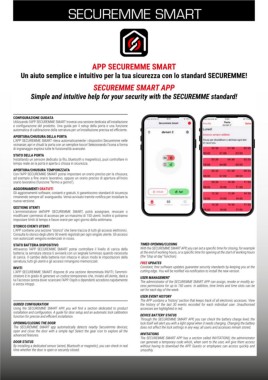
SECUREMME SMART


                                          APP SECUREMME SMART
          Un aiuto semplice e intuitivo per la tua sicurezza con lo standard SECUREMME!


                                          SECUREMME SMART APP
               Simple and intuitive help for your security with the SECUREMME standard!


       CONFIGURAZIONE GUIDATA
       Utilizzando l’APP SECUREMME SMART troverai una sezione dedicata all’installazione
       e configurazione del prodotto. Una guida per il setup della porta e una funzione
       automatica di calibrazione della serratura per un’installazione precisa ed efficiente.
       APERTURA/CHIUSURA DELLA PORTA
       L’APP SECUREMME SMART rileva automaticamente i dispositivi Securemme nelle
       vicinanze; apri e chiudi la porta con un semplice tocco! Selezionando l’icona a forma
       di ingranaggio esplora tutte le funzionalità avanzate.
       STATO DELLA PORTA
       Installando un sensore dedicato (a filo, bluetooth o magnetico), puoi controllare in
       tempo reale se la porta è aperta o chiusa in sicurezza.
       APERTURA/CHIUSURA TEMPORIZZATA
       Con l’APP SECUREMME SMART potrai impostare un orario preciso per la chiusura;
       ad esempio a fine orario lavorativo, oppure un orario preciso di apertura all’inizio
       orario lavorativo (funzione “fermo a giorno”).
       AGGIORNAMENTI GRATUITI
       Gli aggiornamenti software, costanti e gratuiti, ti garantiscono standard di sicurezza
       rimanendo sempre all’ avanguardia. Verrai avvisato tramite notifica per installare la
       nuova versione.
       GESTIONE UTENTI
       L’amministratore  dell’APP  SECUREMME  SMART,  potrà  assegnare,  revocare  o
       modificare i permessi di accesso per un massimo di 150 utenti. Inoltre si potranno
       impostare limiti di tempo e fasce orarie per ogni giorno della settimana.
       STORICO EVENTI UTENTI
       L’APP contiene una sezione “storico” che tiene traccia di tutti gli accessi elettronici.
       Consulta lo storico degli ultimi 30 eventi registrati per ogni singolo utente. Gli accessi
       non autorizzati vengono evidenziati in rosso.
       STATO BATTERIA DISPOSITIVO                              TIMED OPENING/CLOSING
       Attraverso  l’APP SECUREMME  SMART potrai controllare il  livello di carica  della      With the SECUREMME SMART APP, you can set a specific time for closing, for example
       batteria; la serratura stessa ti avviserà con un segnale luminoso quando necessita   at the end of working hours, or a specific time for opening at the start of working hours
       di carica. Il cambio della batteria non intacca in alcun modo le impostazioni della   (the “stop at day” function).
       serratura; tutti gli utenti e gli accessi rimangono memorizzati.  FREE UPDATES
       INVITI                                                  Constant, free software updates guarantee security standards by keeping you at the
       L’APP SECUREMME SMART dispone di una sezione denominata INVITI; l’ammini-  cutting edge. You will be notified via notification to install the new version.
       stratore è in grado di generare un codice temporaneo che, inviato all’utente, darà a   USER MANAGEMENT
       lui l’accesso senza dover scaricare l’APP. Ospiti o dipendenti accedono rapidamente   The administrator of the SECUREMME SMART APP can assign, revoke or modify ac-
       e senza intoppi.                                        cess permissions for up to 150 users. In addition, time limits and time slots can be
                                                               set for each day of the week.
                                                               USER EVENT HISTORY
                                                               The APP contains a ‘history’ section that keeps track of all electronic accesses. View
       GUIDED CONFIGURATION                                    the history of the last 30  events recorded for each  individual user. Unauthorised
       Using  the  SECUREMME  SMART  APP,  you  will  find  a  section  dedicated  to  product           accesses are highlighted in red.
       installation and configuration. A guide for door setup and an automatic lock calibration
       function for precise and efficient installation.        DEVICE BATTERY STATUS
                                                               Through the SECUREMME SMART APP, you can check the battery charge level; the
       OPENING/CLOSING THE DOOR                                lock itself will alert you with a light signal when it needs charging. Changing the battery
       The  SECUREMME  SMART app automatically detects nearby Securemme  devices;   does not affect the lock settings in any way; all users and accesses remain stored.
       open and close the door with a simple tap! Select the gear icon to explore all the
       advanced features.                                      INVITATIONS
                                                               The SECUREMME SMART APP has a section called INVITATIONS; the administrator
       DOOR STATUS                                             can generate a temporary code which, when sent to the user, will give them access
       By installing a dedicated sensor (wired, Bluetooth or magnetic), you can check in real   without having to download the APP. Guests or employees can access quickly and
       time whether the door is open or securely closed.       smoothly.

